Four fan speeds,
on the wall and
on your phone.
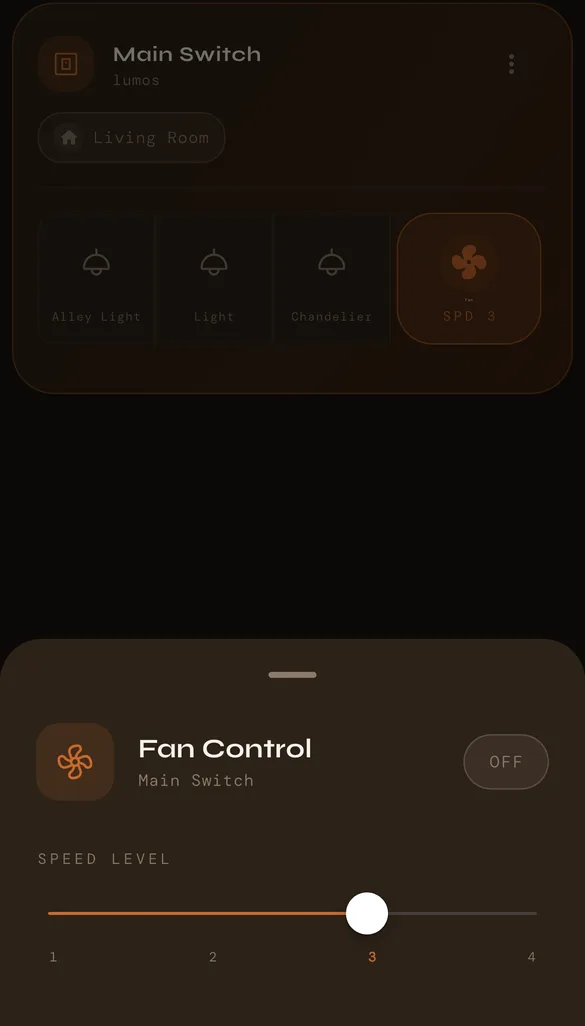
The fan key on a Lumos panel replaces the regulator on your switchboard. Touch it on the glass, or open the meshams app and slide between speeds 1, 2, 3 and 4.
Every way to change the speed
On the panel
The fan key on the glass sets the speed, so guests and family never need the app.
In the meshams app
Tap the fan, slide between 1 and 4, or switch it off, from the next room or another city.
Alexa and Google Home
"Alexa, turn off the fan." Voice assistants switch the fan on and off.
Claude
"Set the bedroom fan to speed 2." Claude sets the speed through the meshams connector.
Let the room decide
With a meshams sensor in the room, an automation switches the fan on when the temperature goes above the level you set, and off again when the room cools. You can also set a timed action to switch it off at a time you choose.
Lumos panels with a fan key
Each panel replaces one switch panel and has switch keys for the room's lights alongside the fan.
- 4 Switch 1 Fan with Socket →
- 6 Switch, 1 Fan →
- 6 Switch, 1 Fan, 1 Socket →
- 6 Switch, 1 Fan, 2 Socket →
- 8 Switch, 2 Fan →
- 8 Switch, 2 Fan, 2 Socket →
- 10 Switch 1 Fan →
- Speeds 1 to 4 on every fan key.
- Your existing ceiling fan stays; only the switch panel changes.
- Fitted and set up by a meshams technician.
Smart fan regulator: your questions.
What is a smart fan regulator?
It does the job of the fan regulator on your switchboard, setting how fast the ceiling fan runs, and also lets you change the speed from your phone. On a Lumos panel it is the fan key: touch it on the glass or slide between speeds 1 and 4 in the meshams app.
Do I need to replace my fan?
No. The Lumos panel replaces the switch panel and regulator on your wall; your ceiling fan stays. Fans with their own remote and speed electronics, such as many BLDC fans, set their speed themselves, so tell us your fan model and the technician will check before fitting.
Can I change the fan speed with Alexa or Google Assistant?
Alexa and Google Assistant switch the fan on and off. The speed is set on the panel or in the meshams app, and Claude can set it for you through the meshams connector.
How many fans can one panel control?
Most Lumos fan panels have one fan key; the 8 Switch, 2 Fan panels have two, each with its own four speeds. Every panel also has switch keys for the room's lights and other points.